
The Import Submenu in Sevio Portal allows you to import the configuration from a source Router to a destination Router, reducing setup time.
To perform the import, the destination Router must be online, and a stable connection is required throughout the process.
Available for R Series Routers.
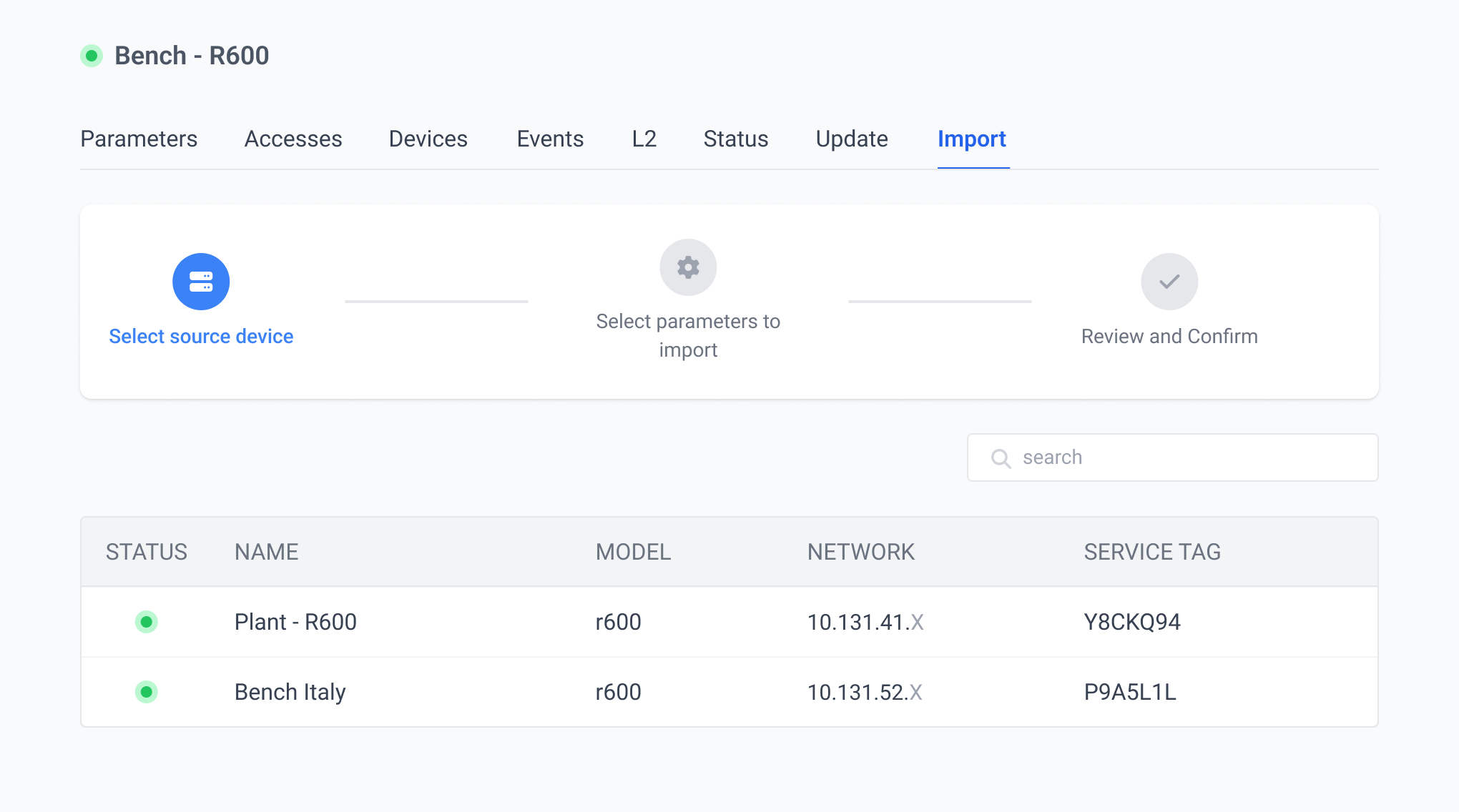
Import Procedure
The import operation is restricted to Operators with Owner and Admin roles.
To copy the configuration from the Import Submenu:
| Select the source Router | Pick the source Router from the filtered list. The list only shows Routers compatible with the destination Router, belonging to the same Realm, model, and firmware version. | |
| Select parameters to import | Choose the parameters to import, including WAN (Wi-Fi, Proxy, and Mobile Network), LAN (Wi-Fi, Internet, and Layer 2), Firewall, Accesses, Devices, and Tags. | |
| Review and confirm | Verify the source Router, destination Router, and selected parameters. Confirm the operation by clicking Import. |
Importing the configuration will overwrite all parameters currently present on the destination Router.
Import Status
After the operation, its status can be checked in the Events Submenu.
The configuration import event can have the following statuses:
- Executed: import completed successfully.
- Incompleted: import partially completed; some firewall rules may not be applied. The User who performed the operation will receive an email notification.
- Failed: import did not occur. The User who performed the operation will receive an email notification. To complete the operation, click Retry on the relevant event.