
Operators can be assigned the role of Owner, Admin, Super User, User, or IT.
Edit Role
Operator roles can be assigned and modified by Owners and Admins.
To modify an Operator's role:
- Go to the Operators section and select the desired Operator's name.
- From the Parameters Submenu, click Edit.
- Select the new role for the operator.
- Save.
Optionally, public notes can be added.

Owner Role
The Owner manages the Realm, maintains ownership of the associated routers, and serves as the primary contact for system communications. Each Realm has a single Owner, assigned automatically upon Realm creation.
Only the current Owner can transfer this role to another operator. Once transferred, the previous Owner automatically becomes an Admin.
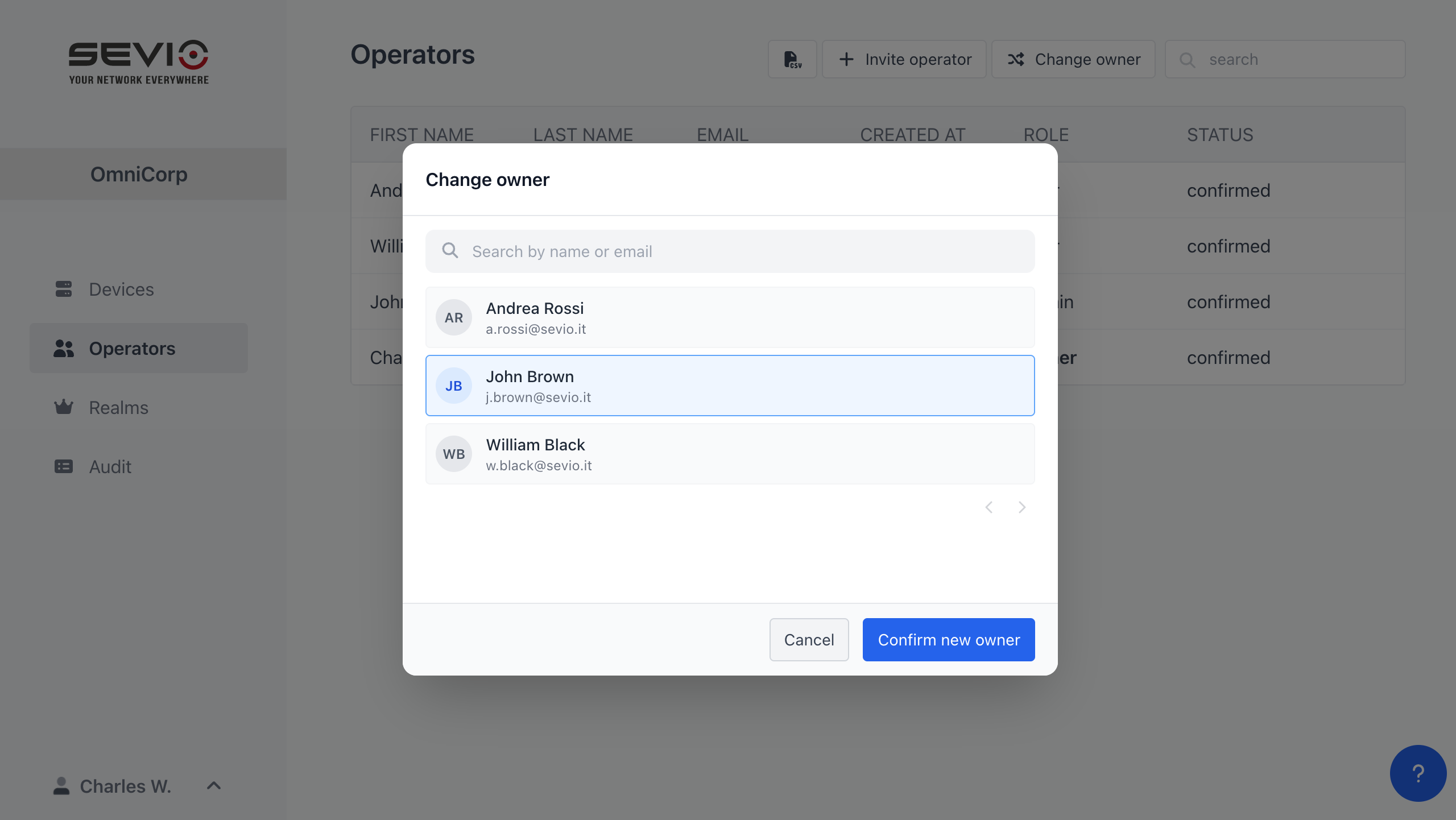
To change the Owner:
- Go to the Operators section and click Change Owner.
- Select the new Owner from the operator list.
- Click Confirm new Owner.
Roles and their privileges
| Owner | Admin | Super User | User | IT | |
| Managing MFA on Realm |  |  | | | |
| Managing MFA on personal Account | | | | | |
| Sevio Portal access | | | | | |
| Associating a Router with a Realm | | | | | |
| Disassociating a Router from a Realm | | | | | |
| List of Routers associated with the Realm | All | All | Authorized only | Authorized only | Authorized only |
| Access to Operators and Audit Sections | | | | | |
| Access to Router Parameters | Read and write | Read and write | Read and write | Read | Read and write |
| Access to the Accesses, Devices, Update and Import Sub. | | | | | |
| Access to the Events and L2 Sub. | | | | | |
| Access to the Status Sub. | | | | | |
| Remote access to networks via NAT | All | All | Authorized only | Authorized only | |
| Remote access to networks via Layer 2 | All | All | Authorized only | | |
| Change Web Interface Password | | | Authorized only | | |