
Available for R Series Routers.
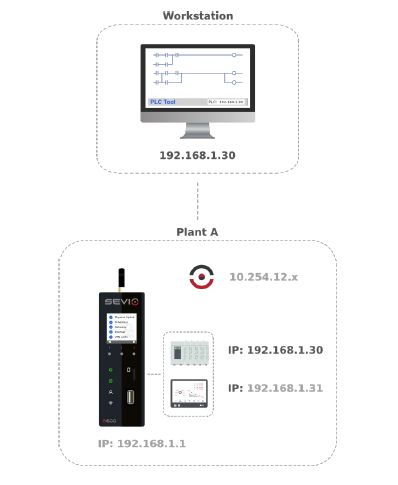
The Layer 2 VPN provides direct access to the automation network at the data link layer (Layer 2 of the OSI model) by utilizing MAC addresses instead of IP addresses.
This functionality enables unrestricted Layer 2 operations.
The Sevio System utilizes the L2 VPN service to facilitate connections to specific automation networks.
You can manage connections using the IP addresses configured in the remote Devices' hardware.
Possible usage scenarios for the L2 VPN include:
- Remote assistance for automation applications that do not support NAT.
- LAN network scanning via MAC address to identify Devices lacking preconfigured IP addresses.
Configuration
To configure parameters for a Layer 2 session, navigate to the L2 Submenu within Sevio Portal.
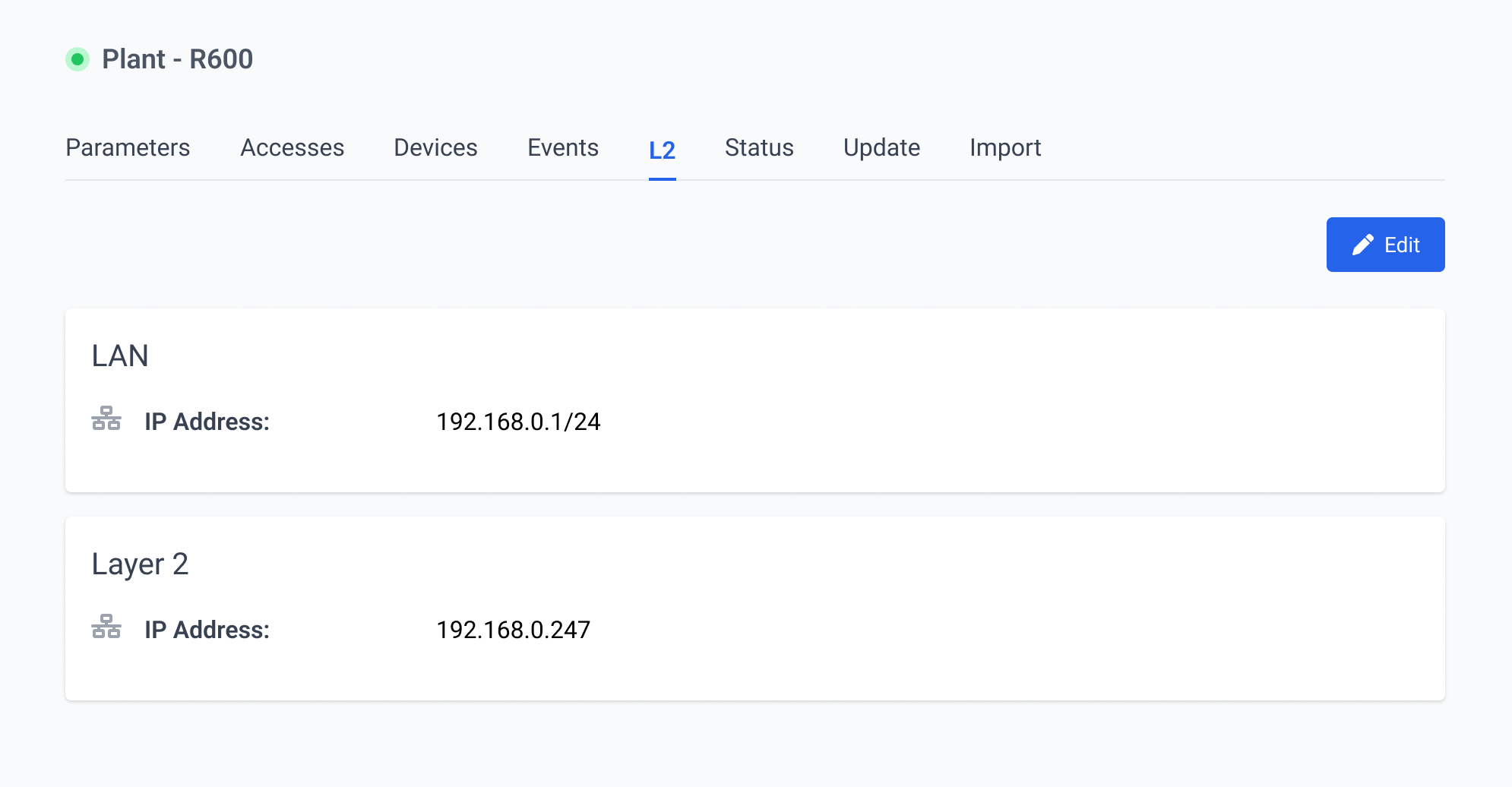
The User can modify and reserve an available IP address through the Panel. The IP address represents the address assigned to the remote Control Workstation during the Layer 2 connection.
To prevent conflicts, ensure the IP address is not assigned to any other Device on the LAN network.
The Panel also displays the name of the User currently connected via Layer 2 in real time. Each system grants only one Operator Layer 2 connection access at a time.
For further details, please refer to the L2 Sevio Router article.
Connection
The Layer 2 session can be established using Sevio Client or OpenVPN.
To establish a VPN Layer 2 connection with Sevio Client:
- Access the Device list and select the desired Router.
- Click the L2 Connect button.
- Once finished, disconnect by clicking L2 Disconnect.
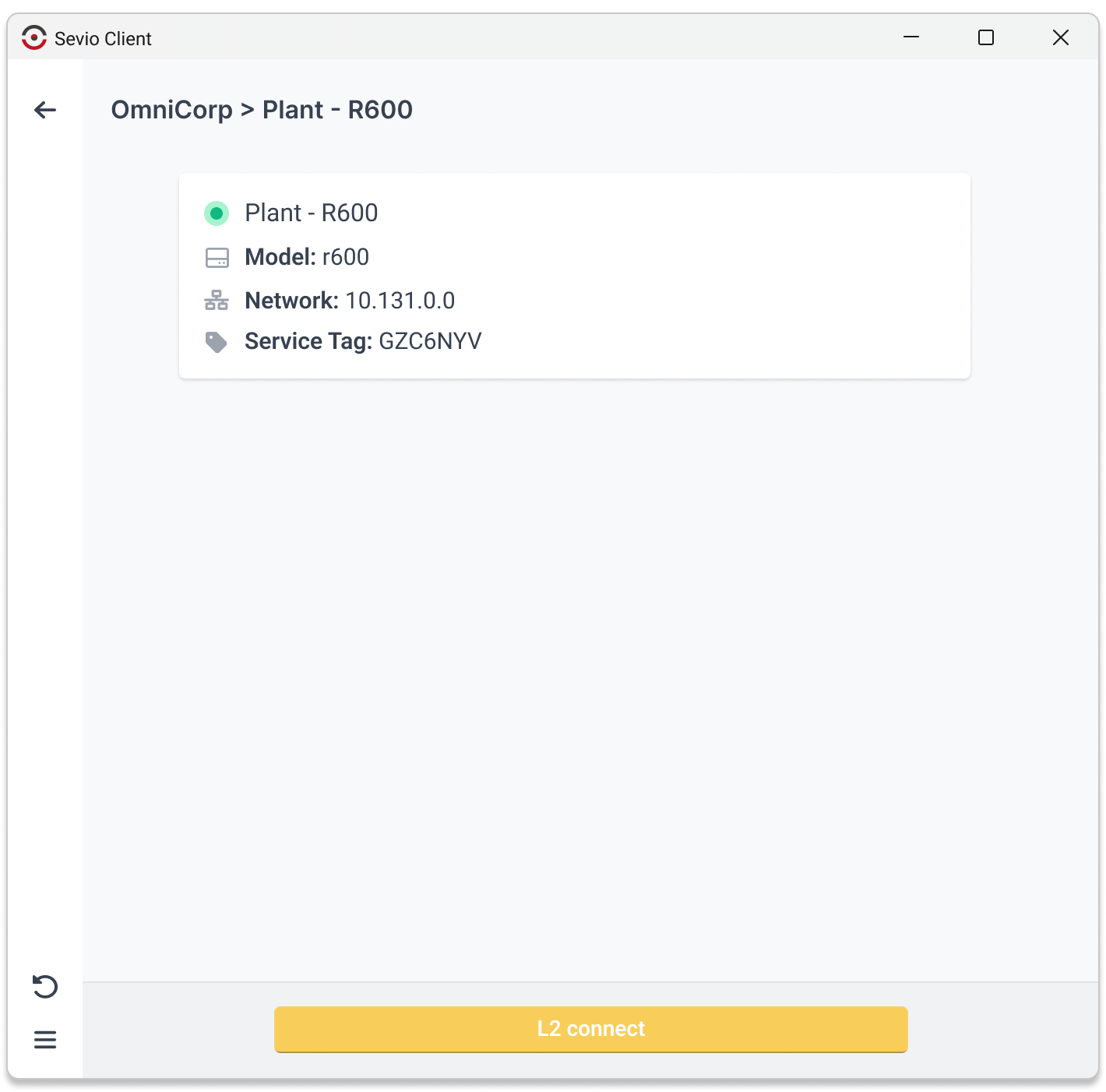
For further details, please refer to the Sevio Client for Windows article.
As an alternative to Sevio Client, the connection can be established with OpenVPN.
Enabling L2
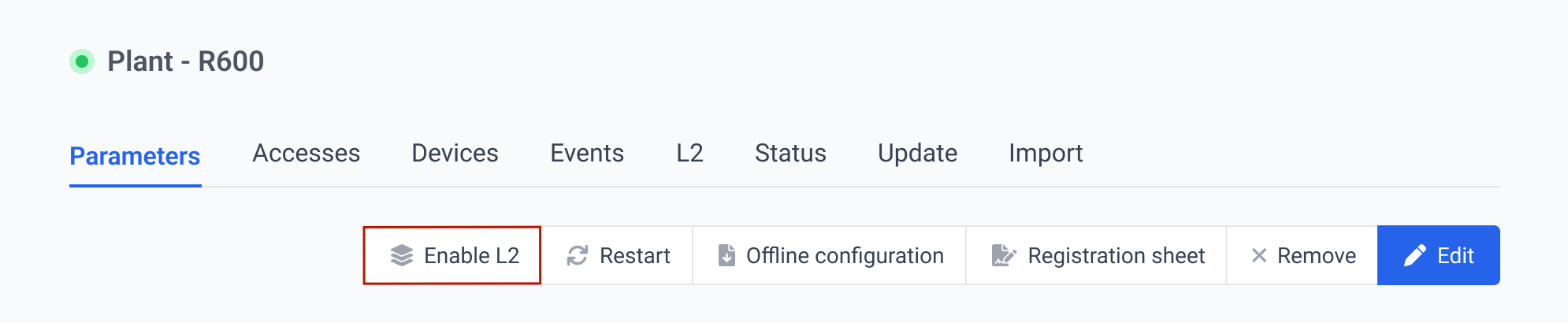
To enable a Layer 2 session for a specific system:
- In the Devices section of the Sevio Portal, select the desired one.
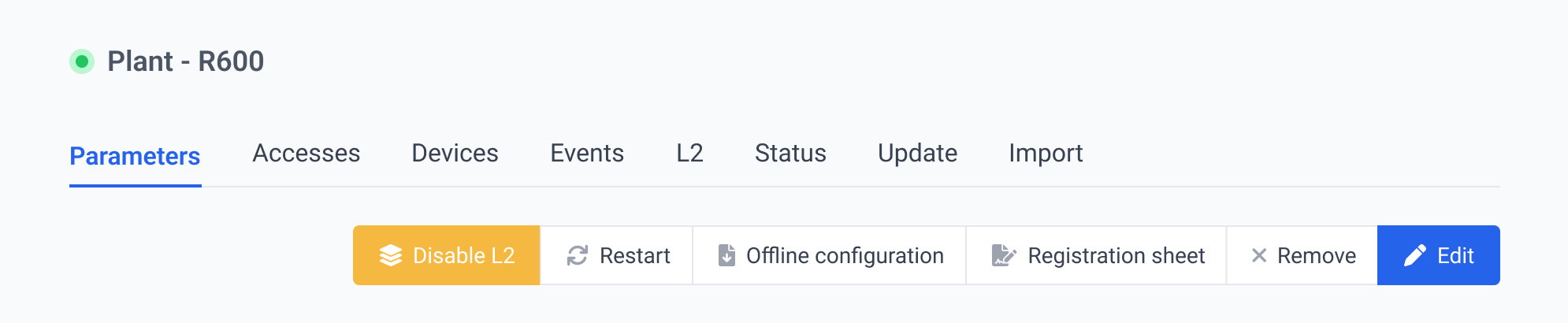
- From the Parameters Submenu > ActionBar, select Enable L2.
- Connect to the oVPN L2 service on the Workstation.
Layer 2 VPN access is restricted to the main Account.
Only one Layer 2 connection can be established per Router. If a User has already enabled an L2 connection, it will be marked as busy.

As the final step to connect to the VPN, right-click the OpenVPN GUI icon and select Connect.
Disabling L2
To disable a Layer 2 session:
- Right-click the OpenVPN GUI icon and select Disconnect.
- On Sevio Portal, access the Parameters Submenu and click Disable L2.
If the Client Device using the Layer 2 session disconnects from the network and fails to re-establish a connection within 30 seconds, the system will interpret this extended period of inactivity as a signal to automatically disable the session.
Disabling the Layer 2 connection at the end of the session is essential to allow access for other operators, as only one active Layer 2 connection is supported at a time.
For further details, please refer to the OpenVPN for Windows article.